
 iOS
iOS Android
 Windows
Quotex Android app
 Google Play
QUOTEX · macOS
Open the link below in Safari or Chrome. Wait for the destination to load before saving it.
Register & Install Quotex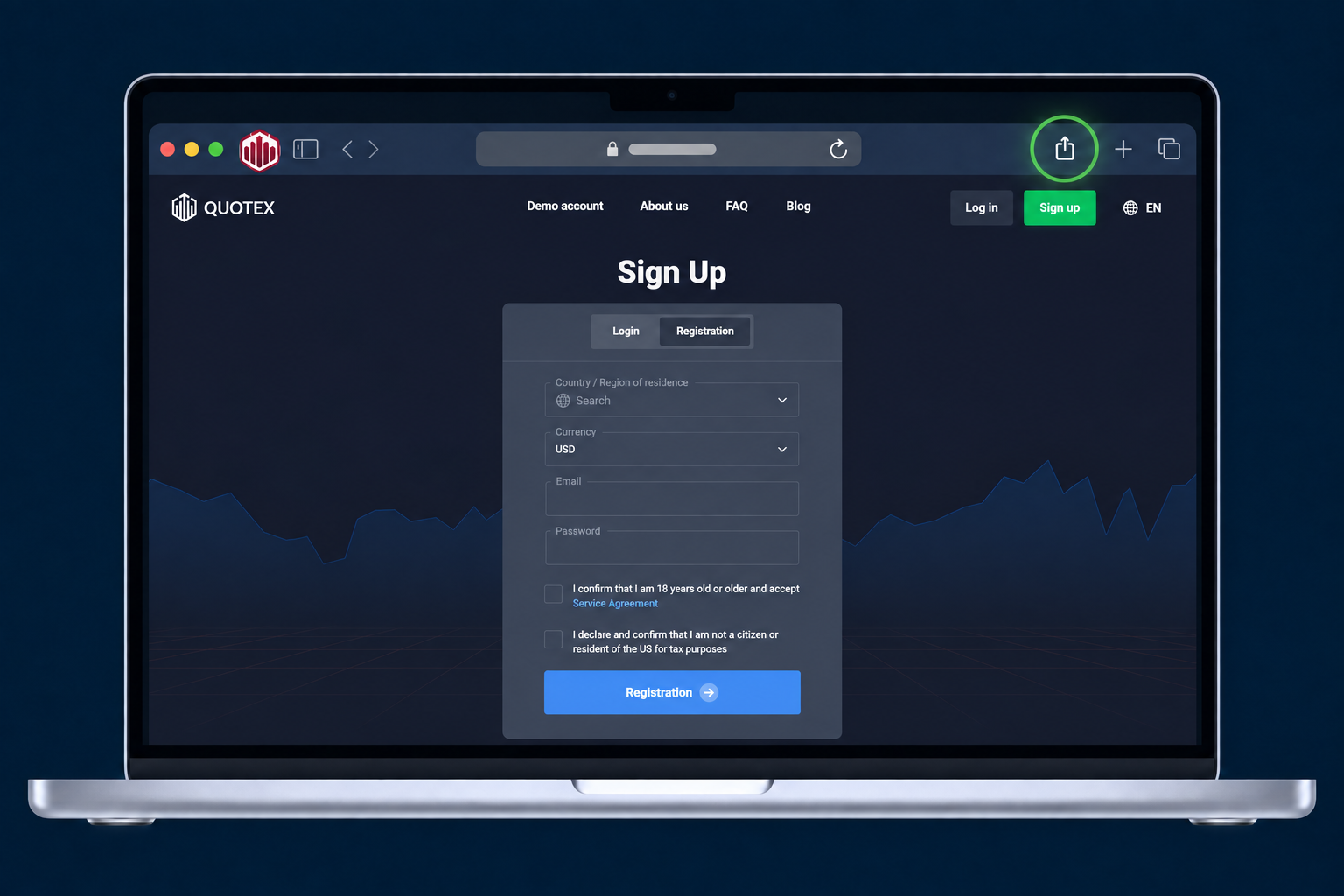
Open the destination in Safari and wait for it to load. Click the Share button in the toolbar.
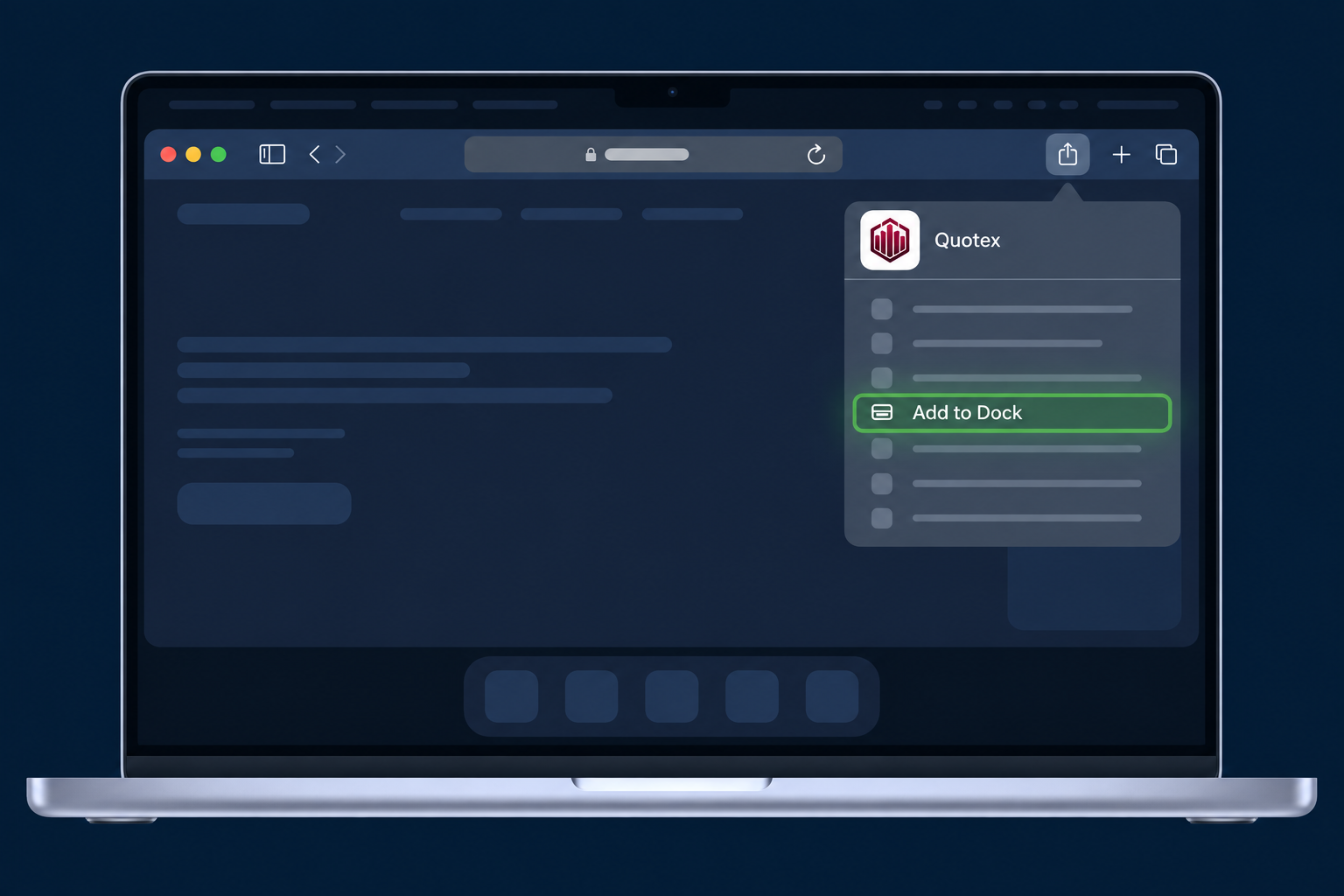
Choose Add to Dock from the Share menu. Check the app name, then click Add in the confirmation window.

Click the saved Quotex icon in the Dock to open the web app. You can also find it using Spotlight.
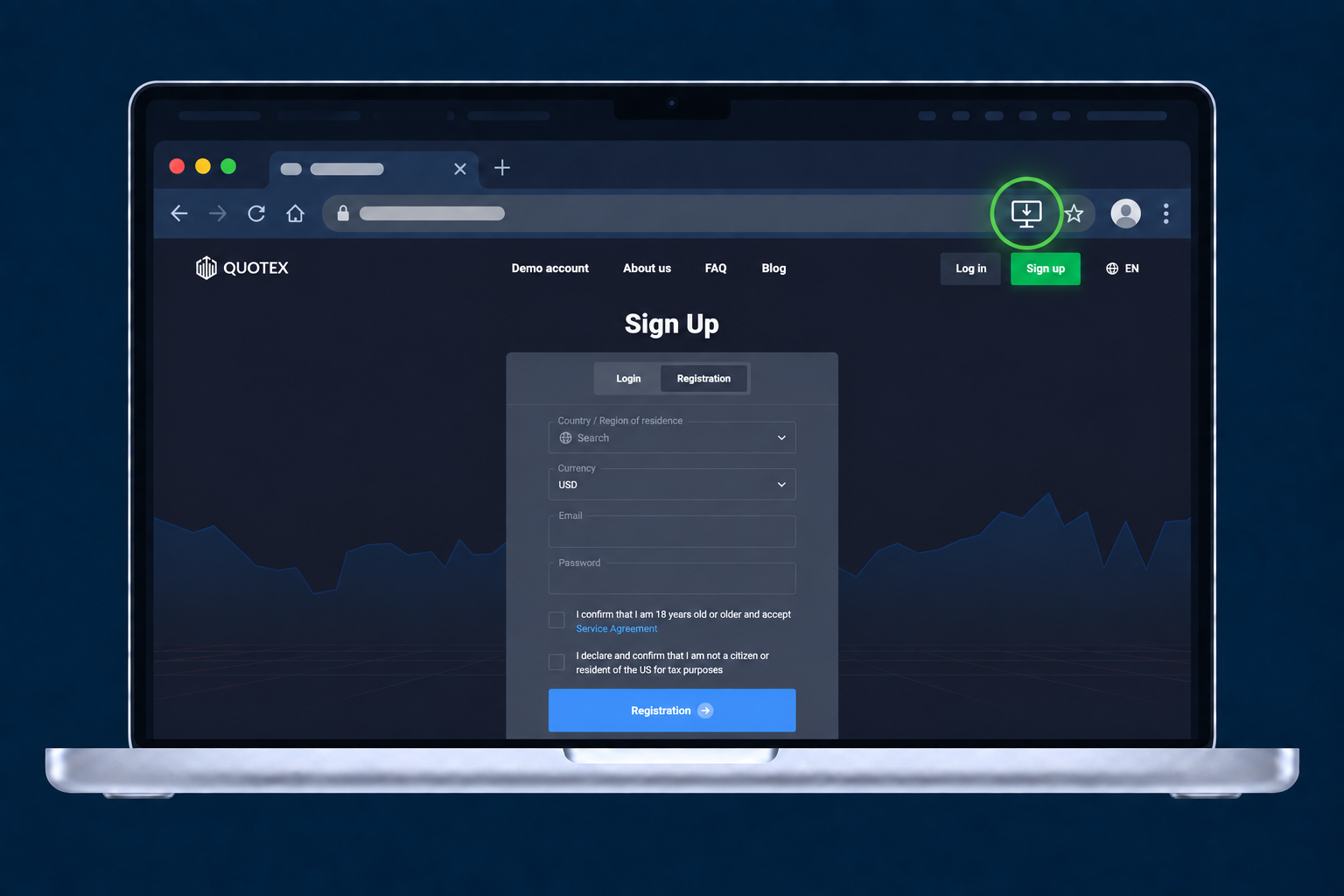
Open the destination in Chrome. Click the install icon at the right of the address bar, if shown. Otherwise use More → Cast, save and share → Install page as app.
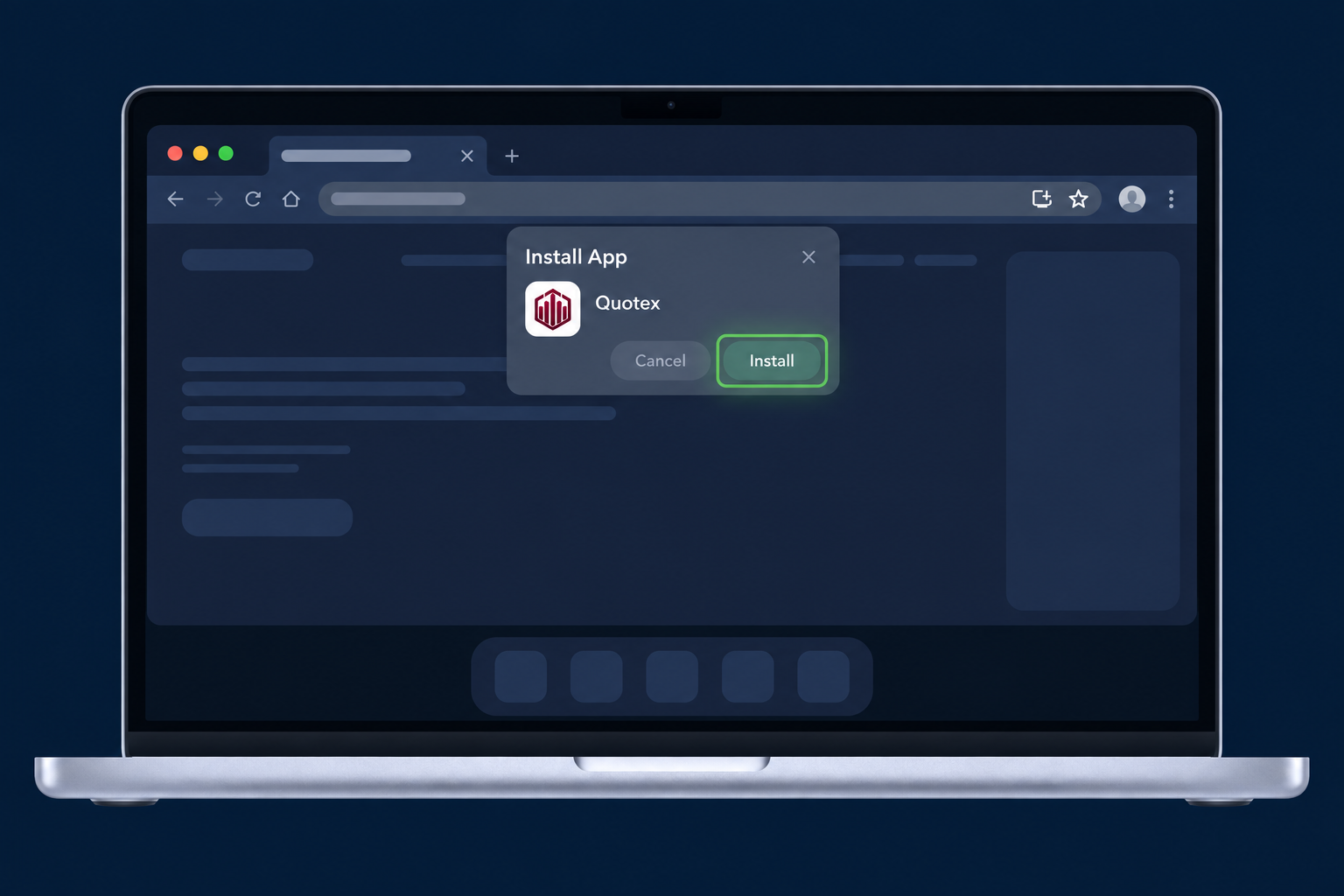
Check the app name in the installation dialog, then click Install to confirm.
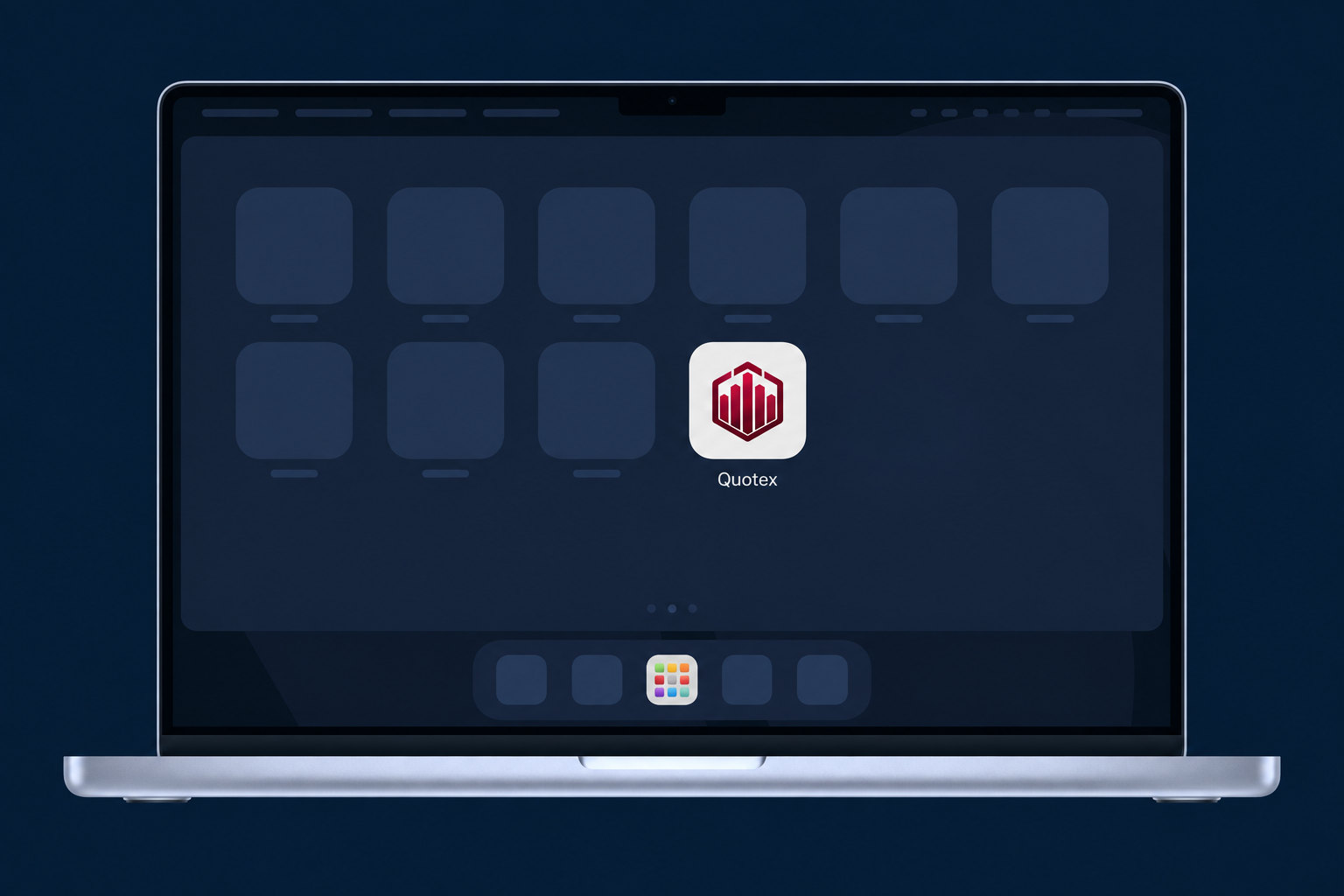
Open the installed app. To find it again in Chrome, enter chrome://apps and select Quotex.
Safari requires macOS Sonoma 14 or later. Menu labels and app icons may vary. Internet access is required; install the destination website, not this guide.
Google Play