 iOS
iOS Android
 Windows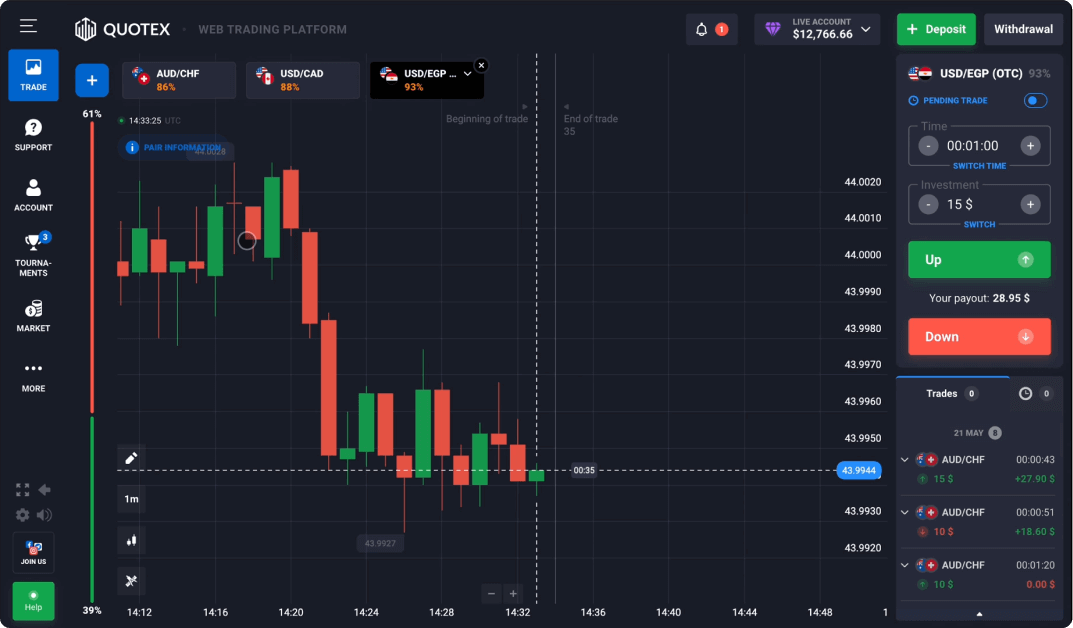
Quotex and TradingView: check the connection
If you use TradingView charts as part of your research, do not assume they share a price source, timestamp, market session or settlement rule with another platform. Compare the definitions of the data before comparing the pictures.
This guide does not claim a Quotex–TradingView integration. Verify any integration claim in current documentation, and do not share account credentials or API keys with an unofficial bridge or charting tool.
Features need definitions
A list of features is only useful when you understand what each one means. “Charts”, “indicators” and “history” describe ways of presenting information, not guarantees about its reliability or usefulness for a financial decision.
When a control is unfamiliar, look for an explanation of the inputs and the output. A label that sounds technical is not evidence of predictive value.
Chart interval versus contract timing
A chart interval groups observations into a chosen time span. Contract timing concerns when a financial outcome is evaluated. Changing one does not necessarily change the other.
This distinction matters because two nearby controls can look related while performing different jobs. Read the written terms instead of inferring mechanics from the layout.
Indicators and activity history
An indicator is a calculation applied to data. Its appearance depends on the selected settings and historical observations. It does not make future price movement certain.
Activity history is also a record with a defined scope. Check whether it shows simulated or real activity, pending or settled entries, and the applicable time zone. A screenshot may omit those distinctions.
A feature-review checklist
Evaluate a feature in terms of what it helps you understand. Avoid equating the number of tools with a safer or better financial product.
- Can you identify the data source and the meaning of each label?
- Is the account mode clearly visible?
- Can timing and settlement rules be found in writing?
- Are limitations stated alongside feature descriptions?
- Is the mobile layout hiding information shown on desktop?
Common questions
Do more indicators make outcomes more certain?
No. More calculations do not remove uncertainty or financial risk.